How do you see what a tattoo looks like on you before getting it?
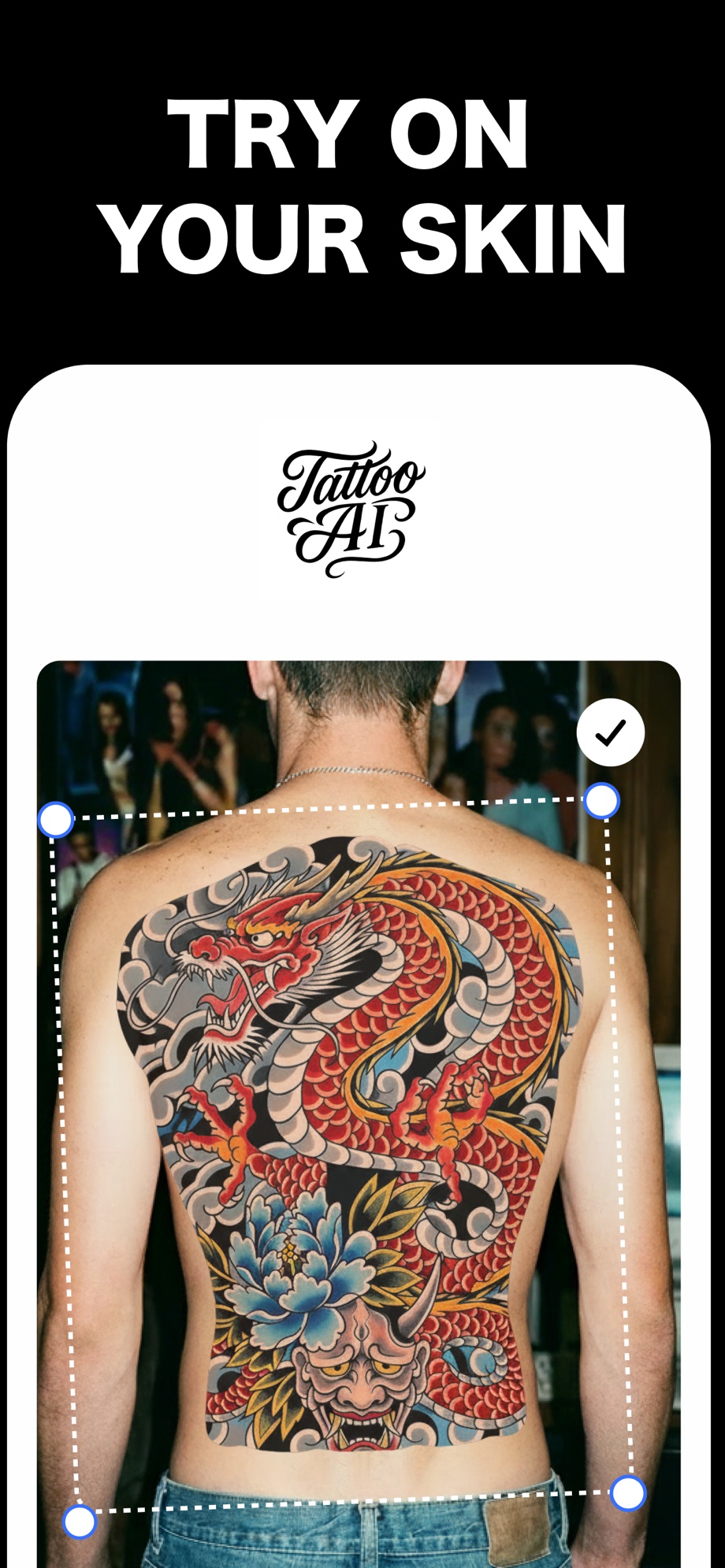
The short answer: take a photo of the exact spot you're considering, then place the actual design on it at actual size with a try-on app like Tattoo AI — free on the App Store for iPhone and iPad. It shows the design on your skin tone, your muscle curve, and your proportions, which a photo of the same tattoo on someone else's body never can.
Why judging a tattoo on someone else's body fails
Almost everyone picks a design from a photo of it on a stranger. That photo lies to you three ways:
- Skin tone. Ink contrast changes with skin. A soft grey-wash piece that pops on pale skin can read muddy on deeper tones; bold black linework reads well on everything. You can't know how yours will look until you see it on your skin.
- Curve. A flat design photo ignores anatomy. A forearm wraps. A shoulder rounds off. A rib cage bends the whole composition. The same piece that looks balanced on one person's back can look stretched or crowded on yours.
- Size. That "small" tattoo on a 6'3" guy's forearm is a medium tattoo on yours. Without a reference on your own body, you're guessing at scale — and scale is the thing you can't fix later.
The old-school methods, honestly rated
| Method | What it gets right | Where it falls short |
|---|---|---|
| Sharpie sketch | Real placement, free | You're not the artist — it shows your drawing, not the design |
| Printed stencil taped on | True size on the spot | Flat paper doesn't follow the curve; no skin-tone read |
| Henna / temporary tattoo | Wears like the real thing for days | Wrong color, custom designs cost money and a week of lead time |
| App preview on your photo | Real design, real spot, real size, resizable in seconds | Still a preview — your artist finalizes the stencil |
Artists still tape stencils on before the needle touches skin, and that stays true. The point of previewing earlier is that by then you've already committed to a design and a booking. The cheap time to change your mind is before that.
What a good preview actually tells you
- Legibility at size. Script, dates, and fine detail have a minimum readable size. If you squint at the preview, size up or simplify.
- How it sits on the curve. Long vertical pieces on a curved spot foreshorten from most angles. The preview shows you the view other people will actually get.
- Clothing lines. A collarbone piece peeks out of every crew neck. An upper-arm piece hides under a t-shirt sleeve. Decide which you want on purpose, not by accident.
- Whether you still like it tomorrow. Save the preview, look at it for a week. Instant regret is cheap here. It is not cheap after the appointment.
How to preview a tattoo on your body with Tattoo AI
- Photograph the exact spot — good light, arm or back relaxed in a natural position. The pose matters: a flexed forearm distorts placement.
- Pick or upload the design — generate one from a text description in one of 16 styles, or upload the exact reference image you've been saving.
- Place, resize, rotate — drag it onto the spot and adjust until it sits right on the curve. This is where "I want it small" meets reality.
- Save and compare spots — try the same design on your forearm, shoulder, and back photos side by side before you decide.
Then take it to your artist
A preview isn't a substitute for a good artist — it's a better brief for one. Walk into the consultation with the design and a photo of it placed on your body, and the conversation starts at "here's what I want, here's where" instead of twenty minutes of hand-waving. Your artist will still adjust the design for how ink behaves in skin. That's their job, and the preview makes it easier.
Free on the App Store · iPhone & iPad